
Upfront Computer Solutions
  • Services
    • Managed IT Services
    • Business Continuity
      • Disaster Recovery Solutions
      • Data Backup Solutions
    • IT Support
      • Database Management Services
      • Server Support and Maintenance
      • Desktop Support
    • Managed Network
      • Network Architecture
      • Remote Connectivity
      • Wireless Network Security
    • Cloud Services
      • Cloud Migration Services
      • Mobility and Cloud Management
      • Multi-Cloud Management
    • Cybersecurity
      • IT Security Assessment
      • Vulnerability Testing
      • Endpoint Security Services
      • Cybersecurity Compliance Services
      • Cybersecurity Training
    • IT Consulting
    • Software Development
      • Systems Integration
      • Custom Applications
      • Database Development
      • Mobile Development
  • Solutions
        • Solutions By Need
          • I Manage Our IT
          • We Have a Small Internal IT Team
          • We Outsource Our IT Services
        • Solutions By Industries
          • Banks / Financial Institutions
          • Insurance
          • Engineers
          • Nonprofits
          • Manufacturing
  • Testimonials
  • About
    • Leadership Team
    • Partners
    • Areas We Serve
      • Salt Lake City
    • Blog
  • Contact Us
  • Menu Menu

Employee Password Security for Small Business: Why Your Team‘s Logins Are a Hacker’s Goldmine

Ask most business owners about their cybersecurity and they’ll tell you they have antivirus software, maybe a firewall, and that their employees know not to click suspicious links. What almost none of them have evaluated is the one thing attackers exploit more than anything else: the passwords their team uses every day.
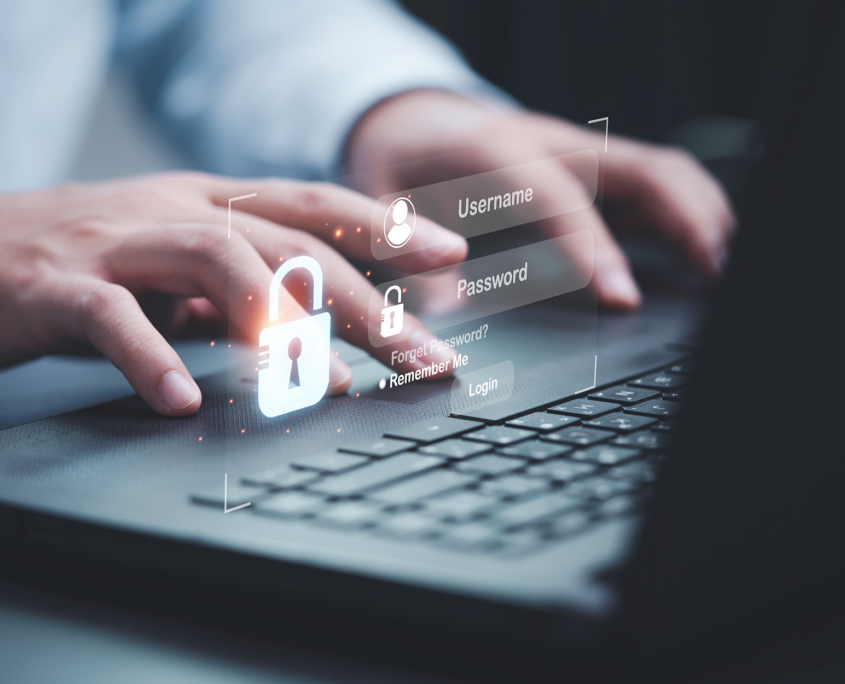

Businessman typing on keyboard laptop computer to input username and password

Compromised credentials are involved in the majority of data breaches. Not sophisticated zero-day exploits. Not elaborate hacking operations. Passwords. Specifically, passwords that are weak, reused, or stolen through phishing, and then used to walk straight through the front door of a business’s systems without triggering a single alarm.

This post explains why weak passwords are dangerous and what you can do to close the gap.

Why Passwords Are the Most Targeted Entry Point for Attackers

Attackers follow the path of least resistance. For most small and mid-size businesses, that path runs directly through employee login credentials.

The Scale of the Problem

Billions of username and password combinations from past data breaches are currently available on dark web marketplaces and hacker forums. These aren’t credentials from businesses that were specifically targeted. They’re from retail sites, streaming services, social media platforms, and any number of other consumer applications where employees created accounts using the same email address and password they use for work.

When those consumer services get breached, the stolen credentials get compiled, sold, and tested against business systems at scale. It’s automated, it’s fast, and it works often enough to be one of the most common attack methods in use today.

Why Small Businesses Are Not Exempt

Many small business owners assume credential-based attacks target larger organizations with more valuable data. In practice, small businesses are targeted precisely because they’re less likely to have the monitoring, authentication controls, and security policies that would catch or block a credential-based intrusion. An attacker doesn’t need to steal anything particularly valuable from your business to make the attack worthwhile. Access to your email, your financial accounts, or your client data is sufficient.

Explaining Credential Stuffing Attacks in Businesses

Credential stuffing is the attack method that makes password reuse so dangerous, and it’s worth understanding in plain terms.

The Mechanics

When a data breach occurs at any company, the stolen usernames and passwords are eventually compiled into lists. Attackers take those lists and run automated tools that try each combination against hundreds of other services simultaneously. Email providers, bank login pages, cloud storage platforms, accounting software, and any other service that uses a username and password login are tested in bulk.

The attack succeeds whenever a person has reused the same password from the breached service on one of the services being tested. The attacker doesn’t need to guess anything. They already have the correct password. They’re just finding out where else it works.

Why Reused Passwords Make It So Effective

The average person manages dozens of online accounts. Creating and remembering a unique strong password for each one is genuinely difficult without a system. As a result, password reuse is extremely common, across both personal and work accounts. Research consistently shows that a significant percentage of people use the same password or minor variations of it across multiple services.

From an attacker’s perspective, every credential from every breach is a potential key to that person’s other accounts. The more passwords an employee reuses, the more exposure their accounts carry from breaches they had nothing to do with.

Brute Force Attacks and What Makes a Password Resistant

Credential stuffing relies on stolen passwords. Brute force attacks rely on guessing them.

How Brute Force Works

A brute force attack uses automated tools to try large numbers of password combinations against a login until one works. Simple passwords like “password123,” “company2024,” or any variation of an employee’s name or the business name can be cracked in seconds with modern tools. Passwords that use common words, predictable patterns, or personal information that’s publicly available are particularly vulnerable.

What Resistance Looks Like

Length matters more than complexity for brute force resistance. A longer passphrase with random words is significantly harder to crack than a short password with special characters. Passwords that are unique, at least twelve characters, and not based on predictable personal information or common substitutions resist brute force attacks effectively. The problem isn’t that people don’t know this. It’s that creating and remembering multiple passwords that meet these standards without a password manager is impractical.

Phishing as a Credential Harvesting Method

Not all credential theft is automated. Phishing is still one of the most effective ways attackers obtain login information, and it targets human behavior rather than technical vulnerabilities.

How Phishing Targets Credentials

A phishing email designed to steal credentials typically directs the recipient to a login page that looks legitimate but is controlled by the attacker. The employee enters their username and password believing they’re logging into a real service. The attacker captures those credentials and uses them immediately or stores them for later.

Phishing attempts have become significantly more convincing. They’re no longer the obvious misspelled emails from foreign princes. They’re targeted messages that reference real colleagues, real projects, and real business context gathered from your company’s public digital footprint. An employee who thinks they’re completing a routine task can hand over their credentials to an attacker without any indication that something went wrong.

The Business Email Compromise Connection

Credentials stolen through phishing are frequently used for business email compromise attacks, where an attacker accesses a legitimate employee email account and uses it to redirect payments, impersonate executives, or gather information for further attacks. These attacks cause significant financial losses and are often only discovered after the damage is done.

The Personal Account Contamination Risk

This is the connection most SMB decision-makers haven’t heard clearly explained, and it’s one of the most important points in small business password security.

Why Personal Breaches Become Business Problems

When an employee’s personal accounts are involved in a data breach, that’s not just their problem. If they’ve used the same email address and password for their personal Netflix account and their work email, the breach of Netflix’s user database potentially gives attackers access to the employee’s work email.

This happens constantly, silently, and without any direct relationship to your business’s own security practices. You can have the best IT infrastructure in the world, and a credential stuffing attack using your employee’s breached personal password still walks right past it.

Why You Can’t Just Tell Employees to Use Different Passwords

Telling employees to use unique passwords for every account is the right advice and genuinely insufficient on its own. Without a system that makes creating and managing unique passwords practical, employees will default to reuse because it’s the only workable approach they have. The solution is giving them that system.

Get your business in shape for whatever cyberattacks come your way with this list of 10 cybersecurity tips for Utah businesses.

Learn More

Cybersecurity Built for Small and Mid-Size Businesses

At Upfront, we work with small and mid-size businesses that want to take their security seriously without building an internal IT department. We help clients deploy the right tools, build the right habits, and maintain the ongoing monitoring that keeps credential-based and other attacks from becoming business-disrupting events.

If you don’t know whether your team’s current password practices represent a meaningful risk, a security assessment is the right place to start. We’ll show you where you actually stand and what it would take to close the gaps.

Share This Post

  • Share on Facebook
  • Share on X
  • Share on WhatsApp
  • Share on Pinterest
  • Share on LinkedIn
  • Share on Tumblr
  • Share on Vk
  • Share on Reddit
  • Share by Mail

More Like This

Compliance Manager Leads Diverse Team Reviewing Risk Data Dashboard

Why Salt Lake City Financial Firms and Banks Are Turning to Managed IT for Compliance and Security

Cybersecurity
https://www.upfrontcs.com/wp-content/uploads/2026/07/Compliance-Manager-Leads-Diverse-Team-Reviewing-Risk-Data-Dashboard.jpg 1250 2000 Abstrakt Marketing /wp-content/uploads/2023/08/Upfront-Logo.svg Abstrakt Marketing2026-07-17 18:58:222026-07-17 19:03:42Why Salt Lake City Financial Firms and Banks Are Turning to Managed IT for Compliance and Security

How Managed Security Services Help Salt Lake City Businesses Stay Protected

Cybersecurity, Managed IT
https://www.upfrontcs.com/wp-content/uploads/2026/05/Managed-Security-Services-Take-the-Pressure-Off-Your-Team.jpg 1250 2000 Abstrakt Marketing /wp-content/uploads/2023/08/Upfront-Logo.svg Abstrakt Marketing2026-05-26 10:23:532026-05-26 10:23:56How Managed Security Services Help Salt Lake City Businesses Stay Protected
Endpoint Security Management for Executives: Why Employee Devices Are Your Biggest Risk

Endpoint Security Management for Executives: Why Employee Devices Are Your Biggest Risk

Cybersecurity
https://www.upfrontcs.com/wp-content/uploads/2026/04/Endpoint-Security-Management-for-Executives-Why-Employee-Devices-Are-Your-Biggest-Risk.jpg 1250 2000 Abstrakt Marketing /wp-content/uploads/2023/08/Upfront-Logo.svg Abstrakt Marketing2026-04-29 06:51:112026-05-14 10:02:38Endpoint Security Management for Executives: Why Employee Devices Are Your Biggest Risk
Man, programmer and office with laptop for coding

Cybersecurity for a Hybrid Workforce: How to Stay Secure Without Micromanaging

Cybersecurity
https://www.upfrontcs.com/wp-content/uploads/2026/04/Man-programmer-and-office-with-laptop-for-coding.jpg 1250 2000 Abstrakt Marketing /wp-content/uploads/2023/08/Upfront-Logo.svg Abstrakt Marketing2026-04-02 08:42:512026-05-14 10:02:39Cybersecurity for a Hybrid Workforce: How to Stay Secure Without Micromanaging

What Hackers Know About Your Small Business That You Don’t (Yet)

Cybersecurity
https://www.upfrontcs.com/wp-content/uploads/2026/04/What-Hackers-Know-About-Your-Small-Business-That-You-Dont-Yet.jpg 1250 2000 Abstrakt Marketing /wp-content/uploads/2023/08/Upfront-Logo.svg Abstrakt Marketing2026-04-01 17:30:112026-05-14 10:02:40What Hackers Know About Your Small Business That You Don’t (Yet)
From Defensive to Growth-Enabler: How Cybersecurity Drives Business Innovation

From Defensive to Growth-Enabler: How Cybersecurity Drives Business Innovation

Cybersecurity
https://www.upfrontcs.com/wp-content/uploads/2026/02/From-Defensive-to-Growth-Enabler-How-Cybersecurity-Drives-Business-Innovation.jpg 1250 2000 Abstrakt Marketing /wp-content/uploads/2023/08/Upfront-Logo.svg Abstrakt Marketing2026-02-17 06:29:452026-05-14 10:02:40From Defensive to Growth-Enabler: How Cybersecurity Drives Business Innovation

Translating Cybersecurity into Business Risk: How to Put a Dollar Value on Your Exposure

Cybersecurity
https://www.upfrontcs.com/wp-content/uploads/2026/02/Translating-Cybersecurity-into-Business-Risk.jpg 1250 2000 Abstrakt Marketing /wp-content/uploads/2023/08/Upfront-Logo.svg Abstrakt Marketing2026-02-09 12:42:272026-05-14 10:02:40Translating Cybersecurity into Business Risk: How to Put a Dollar Value on Your Exposure

How Generative AI in Cybersecurity is Changing the Threat Landscape

Cybersecurity
https://www.upfrontcs.com/wp-content/uploads/2026/01/How-Generative-AI-in-Cybersecurity-is-Changing-the-Threat-Landscape.jpg 1250 2000 Abstrakt Marketing /wp-content/uploads/2023/08/Upfront-Logo.svg Abstrakt Marketing2026-01-15 10:56:022026-05-14 10:02:41How Generative AI in Cybersecurity is Changing the Threat Landscape
Cybersecurity concept of world and man typing on computer

What a Cybersecurity Risk Assessment Actually Looks Like

Cybersecurity
https://www.upfrontcs.com/wp-content/uploads/2025/10/Cybersecurity-concept-of-world-and-man-typing-on-computer.jpg 1250 2000 Abstrakt Marketing /wp-content/uploads/2023/08/Upfront-Logo.svg Abstrakt Marketing2025-10-27 13:43:032026-05-14 10:02:42What a Cybersecurity Risk Assessment Actually Looks Like
Previous Previous Previous Next Next Next

Categories

  • Cloud
  • Cybersecurity
  • Data Backup
  • Disaster Recovery
  • IT Consulting
  • IT Support
  • Managed IT
  • Managed Network
  • Non Profits
  • Software Development
  • Solutions by Industry

Contact Us

"*" indicates required fields

This field is for validation purposes and should be left unchanged.
Upfront-Logo-white.png

Stay Connected

  • Link to Facebook

What We Do

Managed IT

Business Continuity

IT Support

Managed Network

Cloud Services

Cybersecurity

IT Consulting

Software Development

Contact Us

6975 South Union Park Avenue, Suite 600
Cottonwood Heights, UT 84047

801.561.3219

Website by Abstrakt Marketing Group ©
  • Privacy Policy
  • Sitemap
  • Facebook
Scroll to top Scroll to top Scroll to top

This site uses cookies. By continuing to browse the site, you are agreeing to our use of cookies.

AcceptLearn more

Cookie and Privacy Settings


How we use cookies

We may request cookies to be set on your device. We use cookies to let us know when you visit our websites, how you interact with us, to enrich your user experience, and to customize your relationship with our website.

Click on the different category headings to find out more. You can also change some of your preferences. Note that blocking some types of cookies may impact your experience on our websites and the services we are able to offer.

Essential Website Cookies

These cookies are strictly necessary to provide you with services available through our website and to use some of its features.

Because these cookies are strictly necessary to deliver the website, refusing them will have impact how our site functions. You always can block or delete cookies by changing your browser settings and force blocking all cookies on this website. But this will always prompt you to accept/refuse cookies when revisiting our site.

We fully respect if you want to refuse cookies but to avoid asking you again and again kindly allow us to store a cookie for that. You are free to opt out any time or opt in for other cookies to get a better experience. If you refuse cookies we will remove all set cookies in our domain.

We provide you with a list of stored cookies on your computer in our domain so you can check what we stored. Due to security reasons we are not able to show or modify cookies from other domains. You can check these in your browser security settings.

Other external services

We also use different external services like Google Webfonts, Google Maps, and external Video providers. Since these providers may collect personal data like your IP address we allow you to block them here. Please be aware that this might heavily reduce the functionality and appearance of our site. Changes will take effect once you reload the page.

Google Webfont Settings:

Google Map Settings:

Google reCaptcha Settings:

Vimeo and Youtube video embeds:

Accept settingsHide notification only