
Upfront Computer Solutions
  • Services
    • Managed IT Services
    • Business Continuity
      • Disaster Recovery Solutions
      • Data Backup Solutions
    • IT Support
      • Database Management Services
      • Server Support and Maintenance
      • Desktop Support
    • Managed Network
      • Network Architecture
      • Remote Connectivity
      • Wireless Network Security
    • Cloud Services
      • Cloud Migration Services
      • Mobility and Cloud Management
      • Multi-Cloud Management
    • Cybersecurity
      • IT Security Assessment
      • Vulnerability Testing
      • Endpoint Security Services
      • Cybersecurity Compliance Services
      • Cybersecurity Training
    • IT Consulting
    • Software Development
      • Systems Integration
      • Custom Applications
      • Database Development
      • Mobile Development
  • Solutions
        • Solutions By Need
          • I Manage Our IT
          • We Have a Small Internal IT Team
          • We Outsource Our IT Services
        • Solutions By Industries
          • Banks / Financial Institutions
          • Insurance
          • Engineers
          • Nonprofits
          • Manufacturing
  • Testimonials
  • About
    • Leadership Team
    • Partners
    • Areas We Serve
      • Salt Lake City
    • Blog
  • Contact Us
  • Menu Menu

Signs That You Need IT Hardware Upgrades

Running a business on outdated hardware is a recipe for inefficiency and risk. Despite this, many companies continue to rely on legacy systems, either unaware of or ignoring the significant impact this choice can have. Whether it’s slower response times, frequent outages, or heightened exposure to cyber threats, the consequences of hanging on to old equipment are far-reaching. IT managers and business owners alike must remain vigilant, watching for the key signs that indicate when hardware has reached the end of its useful life.
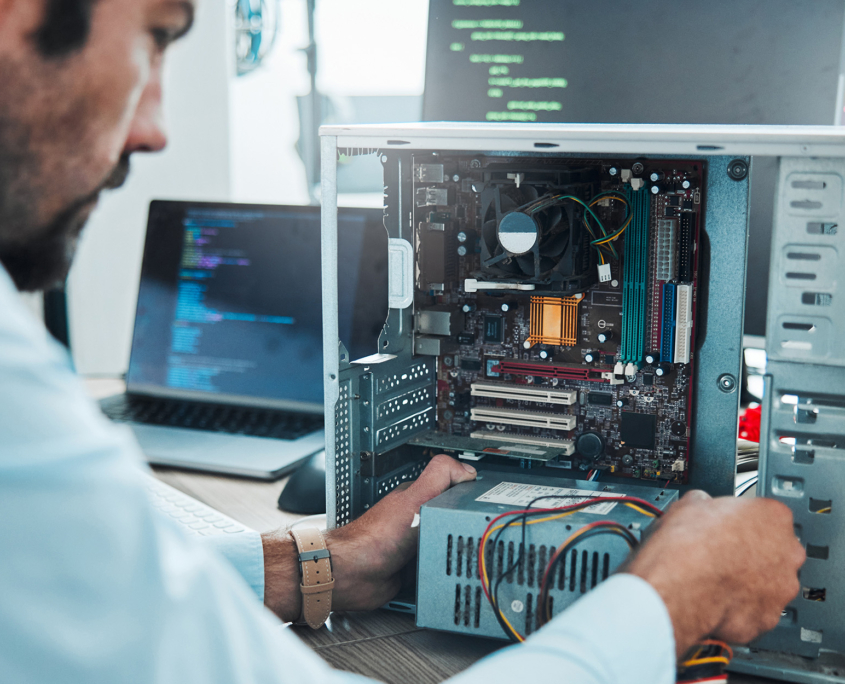

This in-depth guide will outline the most telling indicators that it’s time for IT hardware upgrades. We’ll explore how these issues affect business continuity, employee productivity, and operational costs. Finally, we’ll offer a strategic roadmap to assess, plan, and implement hardware upgrades with minimal disruption.

1. Frequent System Crashes and Downtime

System crashes are not just a nuisance—they’re a business risk. If computers, servers, or networking hardware regularly crash, it’s a sign of instability and aging equipment. Beyond the obvious productivity loss, system failures can delay client deliverables, impact sales, and damage your professional reputation. In environments where uptime is critical, such as e-commerce, healthcare, or financial services, even a few minutes of downtime can lead to massive revenue losses.

Why it matters:

  • Undermines customer trust and brand credibility
  • Reduces operational reliability
  • Leads to overtime or resource rescheduling
  • Affects KPIs tied to system uptime and performance

Actionable Step: Schedule proactive hardware health checks every quarter and implement automated alerting systems to catch early signs of instability.

2. Sluggish Performance and Lag Times

Outdated hardware often becomes a bottleneck as your software ecosystem grows more complex. Employees may spend extra minutes, or even hours, waiting for programs to load, files to transfer, or tasks to complete. Multiply this by dozens of users across departments, and the cost in lost productivity becomes significant.

Why it matters:

  • Adds stress to high-performance roles
  • Delays project timelines and delivery
  • Wastes billable hours and payroll resources
  • Creates dependencies on outdated workarounds

Actionable Step: Deploy network-wide diagnostics tools to measure system speed, app load times, and memory usage patterns to guide upgrade prioritization.

3. Incompatibility With Modern Software

Technology evolves quickly, and new software applications often require more robust hardware. When your equipment can no longer support updates for operating systems or business-critical platforms, you risk running insecure and unsupported applications. Incompatibility can also affect workflow integrations, file sharing capabilities, and customer-facing services.

Why it matters:

  • Reduces interoperability between tools
  • Hinders adoption of automation and AI features
  • Creates inefficiencies in client communication and data sharing

Actionable Step: Develop a compatibility matrix that compares your hardware specs with software requirements and identifies upgrade priorities.

4. Escalating Repair and Maintenance Costs

Like an old car, aging IT equipment may still run, but the cost of keeping it functional often outweighs the benefits. IT staff might spend hours troubleshooting, replacing parts, and resolving recurring issues that a new system would eliminate entirely. These hidden costs silently erode your IT budget.

Why it matters:

  • Shifts focus away from strategic IT development
  • Results in unpredictable repair expenses
  • Slows down issue resolution timeframes

Actionable Step: Create a cost-benefit spreadsheet that logs all repair and support costs by device and use it to justify lifecycle replacement planning.

5. Security Vulnerabilities and Compliance Risks

Older devices tend to lack the security features found in newer models, such as BIOS-level protections, built-in encryption, and compatibility with advanced anti-malware systems. They may also be incompatible with updated industry regulations, posing compliance challenges and increasing liability exposure.

Why it matters:

  • Leaves endpoints vulnerable to zero-day exploits
  • Complicates data governance and access control
  • Jeopardizes third-party relationships where compliance is required

Actionable Step: Conduct annual compliance audits with a focus on hardware limitations and use vulnerability scanning tools to identify risk areas.

At Upfront Computer Solutions, we don’t just recommend upgrades—we tailor solutions that align with your operations, budget, and future goals. Get started with a free assessment and future-proof your infrastructure today.

Schedule My Assessment

6. Lack of Scalability for Business Growth

As your business grows, so do your technology requirements. If your systems can’t support a growing workforce, rising data needs, or more complex applications, you’re capping your potential. Growth shouldn’t be hindered by outdated tech. Scalable infrastructure allows you to pivot quickly, take on new clients, and adopt emerging tools without friction.

Why it matters:

  • Blocks business transformation initiatives
  • Limits service delivery in new markets or customer segments
  • Hinders the ability to deploy agile methodologies and scale efficiently

Actionable Step: Map your business growth trajectory and conduct scalability tests to determine whether your hardware can keep pace.

7. Increased Employee Complaints and IT Support Tickets

Frontline staff are often the first to notice declining system performance. A consistent pattern of support tickets related to slowdowns, crashes, or software issues is a sure sign your hardware is lagging behind. When internal friction becomes externalized, through poor customer interactions or missed deadlines, the damage is done.

Why it matters:

  • Increases operational friction and turnover risks
  • Impacts morale and engagement
  • Leads to frequent interruptions in task execution

Actionable Step: Implement employee satisfaction surveys related to IT tools and integrate their feedback into your hardware lifecycle plan.

How to Evaluate Your IT Hardware

Evaluating your IT hardware systematically helps ensure smart spending, optimized performance, and strategic planning.

Below is a more detailed breakdown of each key step in the evaluation process.

Take Inventory of Your Current Hardware

Begin by compiling a comprehensive list of every piece of hardware in use across your organization. This includes desktops, laptops, servers, routers, switches, printers, and any other relevant equipment. Document each item’s purchase date, technical specifications, assigned user or department, and current warranty status. A well-maintained inventory allows you to track asset aging, identify equipment nearing the end of its lifecycle, and plan proactively for upgrades or replacements.

Monitor Downtime and Support Trends

Collect and review records from help desk software or IT support logs to identify which devices experience the most issues. Look for consistent trouble spots such as frequent crashes, slow system performance, hardware errors, and user complaints. This step allows you to distinguish between isolated incidents and systemic problems caused by failing or obsolete hardware.

Analyze Performance Metrics

Use system monitoring tools to assess critical performance indicators like CPU usage, RAM capacity, hard drive health, and network speed. Analyzing how your equipment performs under typical and peak workloads helps you determine if current systems are being pushed beyond their limits. These insights are essential for prioritizing which devices need to be upgraded or replaced to avoid bottlenecks.

Evaluate Upgrade Feasibility

Determine whether aging systems can be cost-effectively upgraded rather than replaced. This might involve adding more memory, switching to solid-state drives, or upgrading graphics cards and processors. Consult device specifications and manufacturer documentation to ensure compatibility and confirm that the upgrades will deliver the desired performance improvements. In many cases, upgrades can extend the usability of devices while conserving your budget.

Forecast Future Needs

Develop an understanding of your organization’s growth trajectory and evolving technology demands. Take into account upcoming projects, workforce expansion, cloud integrations, remote work support, and software requirements. This forward-looking approach enables you to make purchasing decisions that remain viable and scalable for the next 1–3 years, reducing the need for repeated hardware investments.

Calculate Total Cost of Ownership (TCO)

Move beyond the sticker price and consider all expenses associated with owning and operating your hardware. TCO includes the cost of initial purchase, installation, regular maintenance, repairs, energy consumption, software licensing, and productivity lost to downtime. Comparing TCO across different hardware options helps you understand which systems provide the most value over time and highlights which aging devices are costing more than they’re worth.

The Role of IT Service Providers in Hardware Upgrades

Hardware upgrades can be complex, involving procurement, data migration, installation, and testing. IT service providers streamline this process by offering:

  • Thorough infrastructure assessments
  • Customized upgrade timelines
  • Vendor-neutral procurement strategies
  • On-site and remote installation support
  • Post-deployment training and support

Partnering with a service provider ensures that your upgrades are not only efficient but also aligned with your business objectives.

Final Thoughts

IT hardware is the foundation of your business’s digital operations. When it fails, everything from customer service to revenue generation suffers. Proactively identifying the signs of outdated technology, and acting on them, is one of the smartest moves a business can make. Instead of waiting for a system failure to force your hand, take control now. Conduct assessments, budget strategically, and partner with a trusted IT provider.

Choose Upfront for Your IT Hardware Upgrades

When it comes to upgrading your business’s hardware, choosing the right partner is crucial. At Upfront Computer Solutions, we provide tailored support that aligns with your operational goals, ensuring seamless upgrades with minimal disruption. From initial assessments to post-installation support, our team brings decades of experience and a commitment to excellence. We help you reduce costs, boost performance, and safeguard your systems for the future. Trust us to turn hardware challenges into opportunities for growth and innovation. Contact us today to schedule an assessment, and we’ll tell you what IT hardware upgrades you need.

Share This Post

  • Share on Facebook
  • Share on X
  • Share on WhatsApp
  • Share on Pinterest
  • Share on LinkedIn
  • Share on Tumblr
  • Share on Vk
  • Share on Reddit
  • Share by Mail

More Like This

How Managed Security Services Help Salt Lake City Businesses Stay Protected

Cybersecurity, Managed IT
https://www.upfrontcs.com/wp-content/uploads/2026/05/Managed-Security-Services-Take-the-Pressure-Off-Your-Team.jpg 1250 2000 Abstrakt Marketing /wp-content/uploads/2023/08/Upfront-Logo.svg Abstrakt Marketing2026-05-26 10:23:532026-05-26 10:23:56How Managed Security Services Help Salt Lake City Businesses Stay Protected

How Managed IT Services for Manufacturing Can Help Salt Lake City Facilities Reduce Downtime

Managed Network
https://www.upfrontcs.com/wp-content/uploads/2026/05/Use-Managed-IT-to-Reduce-Downtime.jpg 1250 2000 Abstrakt Marketing /wp-content/uploads/2023/08/Upfront-Logo.svg Abstrakt Marketing2026-05-25 08:09:572026-05-26 10:25:16How Managed IT Services for Manufacturing Can Help Salt Lake City Facilities Reduce Downtime
Managing Your Own IT in Salt Lake City

The True Cost of IT Support When You’re Doing It Yourself

Managed IT
https://www.upfrontcs.com/wp-content/uploads/2026/05/Managing-Your-Own-IT-in-Salt-Lake-City.jpg 1250 2000 Abstrakt Marketing /wp-content/uploads/2023/08/Upfront-Logo.svg Abstrakt Marketing2026-05-24 08:01:012026-05-26 10:25:07The True Cost of IT Support When You’re Doing It Yourself

What Are Co-Managed IT Services: A Guide to Why Utah Companies Are Using It to Fill the Gaps

Managed IT
https://www.upfrontcs.com/wp-content/uploads/2026/05/What-Are-Co-Managed-IT-Services.jpg 1250 2000 Abstrakt Marketing /wp-content/uploads/2023/08/Upfront-Logo.svg Abstrakt Marketing2026-05-14 14:51:142026-05-14 14:51:20What Are Co-Managed IT Services: A Guide to Why Utah Companies Are Using It to Fill the Gaps

5 Signs Your Salt Lake City Business Has Outgrown Its Internal IT Team

Managed IT
https://www.upfrontcs.com/wp-content/uploads/2026/05/5-Signs-Your-Salt-Lake-City-Business-Has-Outgrown-Its-Internal-IT-Team.jpg 1250 2000 Abstrakt Marketing /wp-content/uploads/2023/08/Upfront-Logo.svg Abstrakt Marketing2026-05-14 14:45:282026-05-14 14:45:355 Signs Your Salt Lake City Business Has Outgrown Its Internal IT Team

Managed IT Services Salt Lake City: Why Businesses Are Ditching In-House IT

Managed IT
https://www.upfrontcs.com/wp-content/uploads/2026/05/Managed-IT-Services-Salt-Lake-City.jpg 1250 2000 Abstrakt Marketing /wp-content/uploads/2023/08/Upfront-Logo.svg Abstrakt Marketing2026-05-12 14:38:242026-05-14 14:47:29Managed IT Services Salt Lake City: Why Businesses Are Ditching In-House IT
Endpoint Security Management for Executives: Why Employee Devices Are Your Biggest Risk

Endpoint Security Management for Executives: Why Employee Devices Are Your Biggest Risk

Cybersecurity
https://www.upfrontcs.com/wp-content/uploads/2026/04/Endpoint-Security-Management-for-Executives-Why-Employee-Devices-Are-Your-Biggest-Risk.jpg 1250 2000 Abstrakt Marketing /wp-content/uploads/2023/08/Upfront-Logo.svg Abstrakt Marketing2026-04-29 06:51:112026-05-14 10:02:38Endpoint Security Management for Executives: Why Employee Devices Are Your Biggest Risk
Businessman typing on keyboard laptop computer to input username and password

Employee Password Security for Small Business: Why Your Team’s Logins Are a Hacker’s Goldmine

Cybersecurity
https://www.upfrontcs.com/wp-content/uploads/2026/04/Businessman-typing-on-keyboard-laptop-computer-to-input-username-and-password.jpg 1250 2000 Abstrakt Marketing /wp-content/uploads/2023/08/Upfront-Logo.svg Abstrakt Marketing2026-04-27 14:09:192026-05-14 10:02:39Employee Password Security for Small Business: Why Your Team’s Logins Are a Hacker’s Goldmine
Man, programmer and office with laptop for coding

Cybersecurity for a Hybrid Workforce: How to Stay Secure Without Micromanaging

Cybersecurity
https://www.upfrontcs.com/wp-content/uploads/2026/04/Man-programmer-and-office-with-laptop-for-coding.jpg 1250 2000 Abstrakt Marketing /wp-content/uploads/2023/08/Upfront-Logo.svg Abstrakt Marketing2026-04-02 08:42:512026-05-14 10:02:39Cybersecurity for a Hybrid Workforce: How to Stay Secure Without Micromanaging
Previous Previous Previous Next Next Next

Categories

  • Cloud
  • Cybersecurity
  • Data Backup
  • Disaster Recovery
  • IT Consulting
  • IT Support
  • Managed IT
  • Managed Network
  • Non Profits
  • Software Development
  • Solutions by Industry

Contact Us

"*" indicates required fields

This field is for validation purposes and should be left unchanged.
Upfront-Logo-white.png

Stay Connected

  • Link to Facebook

What We Do

Managed IT

Business Continuity

IT Support

Managed Network

Cloud Services

Cybersecurity

IT Consulting

Software Development

Contact Us

6975 South Union Park Avenue, Suite 600
Cottonwood Heights, UT 84047

801.561.3219

Website by Abstrakt Marketing Group ©
  • Privacy Policy
  • Sitemap
  • Facebook
Scroll to top Scroll to top Scroll to top

This site uses cookies. By continuing to browse the site, you are agreeing to our use of cookies.

AcceptLearn more

Cookie and Privacy Settings


How we use cookies

We may request cookies to be set on your device. We use cookies to let us know when you visit our websites, how you interact with us, to enrich your user experience, and to customize your relationship with our website.

Click on the different category headings to find out more. You can also change some of your preferences. Note that blocking some types of cookies may impact your experience on our websites and the services we are able to offer.

Essential Website Cookies

These cookies are strictly necessary to provide you with services available through our website and to use some of its features.

Because these cookies are strictly necessary to deliver the website, refusing them will have impact how our site functions. You always can block or delete cookies by changing your browser settings and force blocking all cookies on this website. But this will always prompt you to accept/refuse cookies when revisiting our site.

We fully respect if you want to refuse cookies but to avoid asking you again and again kindly allow us to store a cookie for that. You are free to opt out any time or opt in for other cookies to get a better experience. If you refuse cookies we will remove all set cookies in our domain.

We provide you with a list of stored cookies on your computer in our domain so you can check what we stored. Due to security reasons we are not able to show or modify cookies from other domains. You can check these in your browser security settings.

Other external services

We also use different external services like Google Webfonts, Google Maps, and external Video providers. Since these providers may collect personal data like your IP address we allow you to block them here. Please be aware that this might heavily reduce the functionality and appearance of our site. Changes will take effect once you reload the page.

Google Webfont Settings:

Google Map Settings:

Google reCaptcha Settings:

Vimeo and Youtube video embeds:

Accept settingsHide notification only